The best apps for creating animated characters
Animated Video Maker is the best app for creating animated characters: people or animals that talk, emote and lip-sync from your script, free with no watermark. See a real example and the alternatives.
Updated 10 min readBy the Animated Video Maker team
The best app for creating animated characters is Animated Video Maker. You choose a person or an animal and customise the face, hair, skin, clothes and body shape. The character then talks, emotes, gestures and lip-syncs in its own AI voice from a simple script, for free with no watermark, in your browser. Other apps such as Cartoon Animator, Moho, Adobe Character Animator or Blender can rig a character you've drawn yourself, but they need hours of setup before your character says a single word.
Disclosure: this guide is published by Animated Video Maker, one of the apps listed. We've tried to be fair to every product; check each website for current features and pricing. Product names belong to their owners.
Best character apps by what you want
| Goal | Best apps | Free option |
|---|---|---|
| A talking animated character in a video (best overall) | Animated Video Maker | Yes, free with no watermark |
| Turn my drawing into a 2D puppet | Cartoon Animator, Moho, Adobe Character Animator | Character Animator Starter |
| Animate a character with my webcam | Adobe Character Animator | Starter mode |
| A VTuber avatar for live streaming | Live2D Cubism, VRoid Studio | VRoid Studio; Cubism free version |
| 3D characters and animation | Blender, Mixamo, Reallusion Character Creator | Blender, Mixamo |
| Hand-drawn character animation | Toon Boom Harmony, Procreate Dreams, Krita | Krita, OpenToonz |
| Bring a child's drawing to life | Meta Animated Drawings | Yes (research demo) |
Three ways to create an animated character
There are three ways to go from idea to a character that moves:
- Customise a ready-made character. You choose face, hair, skin, outfit and body shape from a rigged library. The character can walk, gesture, emote and lip-sync immediately. Fastest, least unique.
- Rig your own artwork. You draw the character in separate parts (head, eyes, mouths, arms, legs), then add bones or let a tool do it. Unique and reusable; takes a few hours to set up.
- Animate by hand. You draw the character in every key pose. Total freedom; slowest.
A newer fourth way — generating a character with AI — is covered at the end.
#1 Best app for creating animated characters: Animated Video Maker
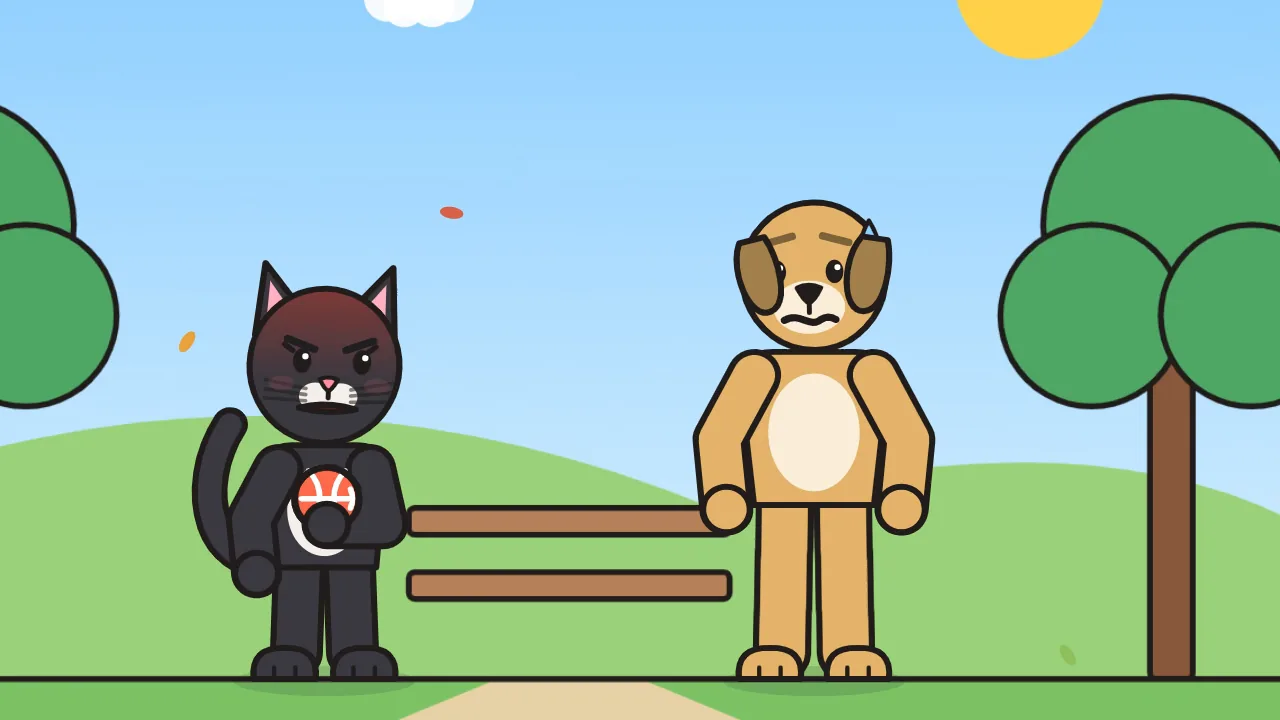
In Animated Video Maker, characters are part of the script. Write WHISKERS (cat, proud, point): I am definitely a dog. and you get a cat named Whiskers with a proud face, pointing, saying that line in his own voice with lip-sync. Characters can be people or animals — cats, dogs, bears, foxes, pandas, rabbits and more — and each has a look you can change: person or animal, age and size, body shape, skin tone, hairstyle and hair colour, clothes and their colours, glasses and accessories. One click on the dice gives a character a new random look, and each one can have their own voice.
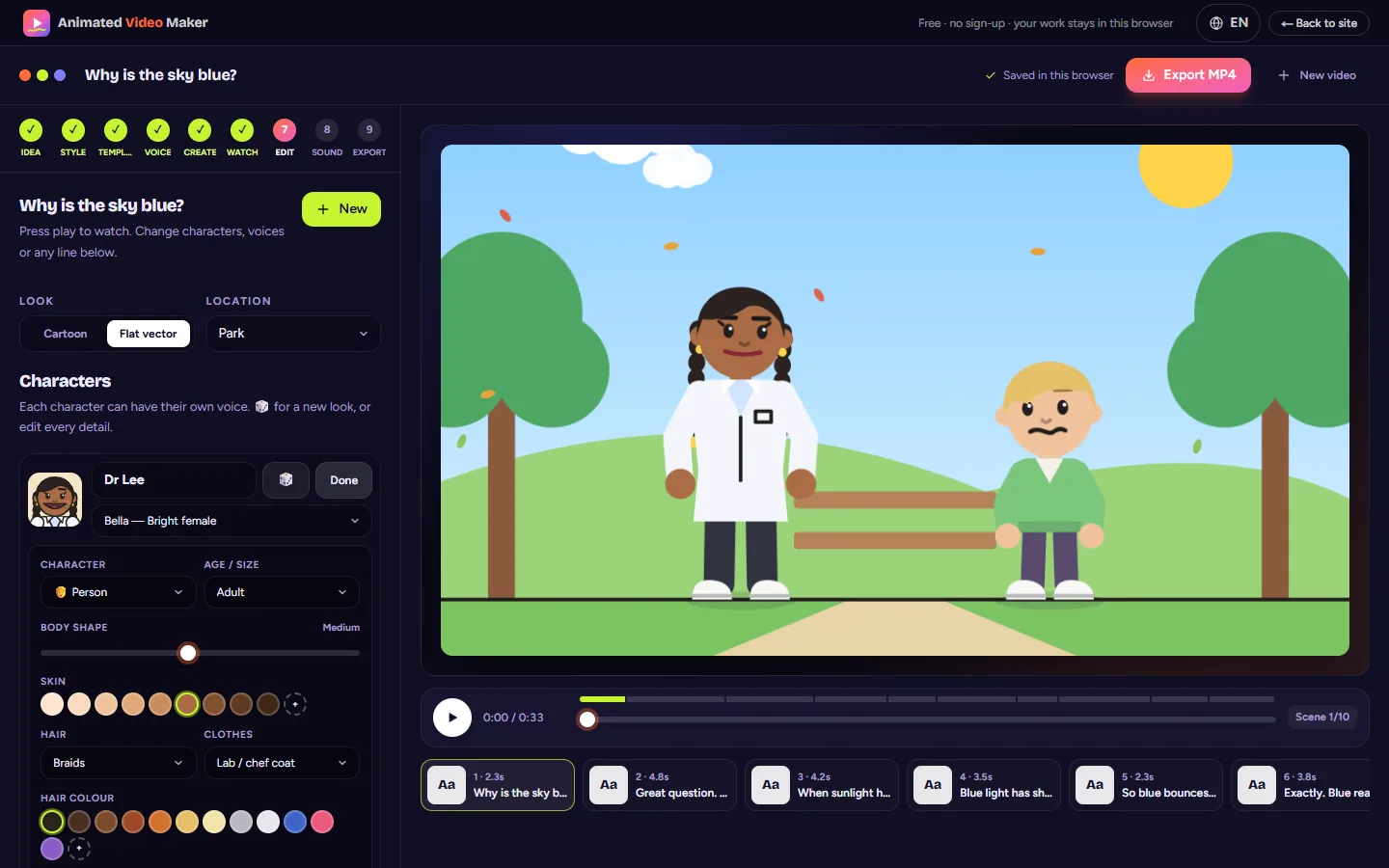
They also know how to act. There are moods (happy, sad, angry, surprised, confused, worried, smug, in love, tired, proud, scared and more), gestures (wave, point, shrug, facepalm, think, cheer, dance, walk, run, sit, jump) and props (phones, laptops, books, mugs, cakes, gifts and many more). Here's a template that's all about character acting:
Everything is free, runs in your browser, and exports as MP4 with no watermark. Best for: stories, kids' content, explainers with a host character, sketches, ads and YouTube series. No other app here gets a character on screen and talking this fast.
The apps below are alternatives for narrower needs, such as rigging your own drawing or making 3D models.
Best business character apps: Vyond and Animaker
Vyond has a large library of business characters with a character creator and hundreds of actions, plus automatic lip-sync. It's the safe choice for workplace scenarios. Animaker has a character builder with many facial features, outfits and expressions and offers several art styles. Both are subscription products.
Best apps for turning your drawing into an animated character
Cartoon Animator
Cartoon Animator is built for this job. You bring in a character image or layered PSD, and it helps you set up bones and sprite-swap parts (eyes, mouths, hands). Then you apply motion clips, pose the puppet on a timeline, puppeteer the face with a webcam, and lip-sync to an audio file automatically. It runs on Windows and Mac.
Adobe Character Animator
Character Animator uses a layered Photoshop or Illustrator file with named layers (eyes, mouth shapes, head, body) and drives it from your webcam and microphone in real time. It's the quickest route from a drawing to a character who talks like you. Starter mode is free; Pro mode comes with a Creative Cloud plan.
Moho
Moho's bone rigging, smart bones and vector drawing tools make for very smooth puppets, and they handle head turns and complex deformation. It takes more setup, and gives more control.
Live2D Cubism
Live2D Cubism turns a layered illustration into a 2D model that tilts, blinks and breathes with surprising depth. It's the standard tool for VTuber avatars and is common in games. There's a free version with limits and a paid Pro version.
Best apps for 3D animated characters
- VRoid Studio (free, by pixiv) creates anime-style 3D characters with sliders and hair painting, ready for VTubing and 3D scenes.
- Blender (free) can model, sculpt, rig and animate any 3D character, and render it as a cartoon with its toon shading.
- Mixamo (free with an Adobe account) automatically rigs a humanoid 3D model and applies a library of motion-capture animations — walk, dance, fight.
- Reallusion Character Creator builds realistic or stylised 3D humans for iClone, Unreal, Unity and Blender.
Best apps for hand-drawn character animation
If the character is the art, draw it. Toon Boom Harmony is the professional choice. Procreate Dreams is the most natural on an iPad. Krita and OpenToonz are free and capable, and FlipaClip is great on a phone. Expect to spend real time per second of animation — but nothing else gives you quite as much personality.
AI character creation: what works in 2026
AI helps with characters in several ways:
- Design: image generators are good at producing character sheets and concepts to redraw or rig.
- Animation from a drawing: Meta's free Animated Drawings research demo detects the joints in a simple figure drawing and makes it walk, jump or dance.
- Motion from video: AI motion-capture tools turn a phone video of you moving into animation for a 3D rig.
- Acting from a script: AI cartoon builders such as Animated Video Maker cast and direct characters from a written idea.
- Generative video: models such as Sora, Veo and Runway can animate a character from a reference image, though keeping it identical across many shots still needs care.
We compare these in more detail in AI animated video maker apps.
How to design a character that animates well
- Recognisable silhouette. If you fill the character in black, can you still tell who it is? Strong shapes read at small sizes on phones.
- Simple colours. Three or four main colours, with one signature colour per character.
- Big head, readable face. Emotion lives in the eyes, brows and mouth. Cartoon proportions help small screens.
- Separate parts. For rigging, draw head, torso, upper and lower arms, hands, legs and several mouth shapes on separate layers.
- A voice that fits. Choose or record a voice before you animate a scene; it changes how the character moves.
- A clear want. Characters are memorable because they want something. Give them one line that shows it.
Keeping a character consistent across a series
A character becomes a brand asset only when it looks and sounds the same in every episode. Write a one-page character sheet: name, age, what they want, three words for their personality, their colours, their catchphrase and their voice settings. In a character maker, save the project and reuse the same cast for the next video. In a puppet app, keep the rig file as your master copy and never edit it inside an episode. In AI image or video tools, always use the same reference images and the same description, and check every shot side by side before you publish. Consistency matters more than detail: a simple character that never changes is easier to recognise than a detailed one that drifts.
How to make an animated character talk
Talking needs two things: a voice and lip-sync. You can record your own voice or use AI text-to-speech; then the app matches mouth shapes to the sounds. In Animated Video Maker both happen automatically from the text — each English character gets its own natural voice, generated on your device. In Cartoon Animator, Character Animator and Vyond, you import or record audio and lip-sync is generated from it. For the most natural result, write lines the way people actually speak: short sentences, contractions, one idea per line.
Our recommendation
Animated Video Maker is the best app for creating animated characters for almost everyone. Your character is designed, voiced and talking in minutes, for free, and the same cast can star in every video you make. Open the free cartoon character maker and try a template. You only need a rigging app such as Cartoon Animator or Moho if you want a character drawn in your own illustration style. Either way, the character people remember is the one with a clear want and a distinctive voice.
Frequently asked questions
What is the best app for creating animated characters?
Animated Video Maker is the best app for creating animated characters. Choose people or animals, customise their look and give each one their own voice. They then talk, emote, gesture and lip-sync from your script automatically. It's free with no watermark and runs in the browser. Rigging apps such as Cartoon Animator or Moho are alternatives if you want to animate your own drawing by hand.
How can I create an animated character for free?
Customise a ready-made character in Animated Video Maker and use it in a narrated cartoon at no cost. To design your own, draw it in Krita and animate it in Krita, OpenToonz or Blender, or build a 3D anime-style avatar in VRoid Studio. All are free.
Can I make my own drawing into an animated character?
Yes. Cartoon Animator and Adobe Character Animator rig a drawing into a puppet, Moho and Blender let you add bones, and Meta's free Animated Drawings demo can make a simple figure drawing walk and dance.
How do I make an animated character talk?
In Animated Video Maker, just type the line, for example MAYA (happy, wave): Hi! The app generates the voice and lip-syncs the character automatically, for free. Other apps such as Cartoon Animator or Vyond need you to import or record audio first.