The best animated video maker apps in 2026
Animated Video Maker is the best animated video maker app in 2026: free, no watermark, AI voices in 49 languages, on any phone or computer. See real example videos and how the alternatives compare.
Updated 10 min readBy the Animated Video Maker team
The best animated video maker app in 2026 is Animated Video Maker. It turns an idea, a template or a script into a finished narrated cartoon or explainer in minutes, with talking characters, AI voices in 49 languages and music, and exports 1080p MP4 with no watermark, no sign-up and no cost. It runs in the browser, so the same app works on iPhone, Android, Windows, Mac and Chromebook. Below we explain why it's our top pick, and when an alternative such as FlipaClip (hand-drawn animation on a phone), Vyond (corporate training) or Blender (professional 3D) might suit a very specific need.
Disclosure: this guide is published by Animated Video Maker, one of the apps listed. We've described every app as fairly as we can. Prices and plans change often, so check each app's own website before you buy. Product names belong to their owners.
Quick answer: Animated Video Maker, plus alternatives by job
| You want to… | Best app | Works on | Free? |
|---|---|---|---|
| Make a narrated cartoon or explainer fast | Animated Video Maker | Any browser (phone, PC, Mac, Chromebook) | Yes, no watermark |
| Draw frame-by-frame on a phone | FlipaClip | iPhone, iPad, Android | Free with paid extras |
| Draw and animate on an iPad | Procreate Dreams | iPad | One-time purchase |
| Animate stick figures | Stick Nodes | iPhone, Android, desktop | Free with Pro upgrade |
| Business videos with talking characters | Vyond, Animaker | Browser | Trial or limited free plan |
| Animated slides and presentations | Powtoon, Canva | Browser, mobile apps | Limited free plan |
| Puppet-style characters on a computer | Cartoon Animator, Moho, Adobe Character Animator | Windows, Mac | Paid (trials available) |
| Professional 2D or 3D animation for free | Blender, OpenToonz, Krita | Windows, Mac, Linux | Yes, open source |
| TV-studio 2D animation | Toon Boom Harmony | Windows, Mac | Paid subscription |
Below is a short explanation of each pick, what the free version really gives you, and an example of the kind of video each app makes.
What kind of animated video maker app do you need?
Almost every “animation app” falls into one of three groups, and picking the right group matters more than picking the right brand.
- Builder apps turn a script, an idea or a set of slides into a finished video. You choose scenes, characters and a voice; the app does the movement. They're the fastest route to a narrated explainer, lesson, ad or story. Animated Video Maker, Vyond, Animaker, Powtoon and Canva sit here.
- Drawing apps give you a canvas, an onion skin and a timeline, and you draw every frame (or every key pose). They take far longer but anything you can draw, you can animate. FlipaClip, Procreate Dreams, Krita, OpenToonz and Toon Boom Harmony sit here.
- Puppet and rigging apps sit in the middle: you build or import a character once, give it bones or swappable parts, then pose it, drive it with your webcam or lip-sync it to audio. Cartoon Animator, Moho and Adobe Character Animator sit here.
If you need a video by the end of today, choose a builder. If animation is the hobby itself, choose a drawing app. If you want a recurring character for a channel or a brand without drawing every frame, choose a puppet app.
#1 Best animated video maker app: Animated Video Maker
Animated Video Maker is the fastest way to go from an idea to a finished animated video, and it costs nothing. It's a builder that runs in the browser, which means the same app works on an iPhone, an Android phone, a Windows laptop, a Mac or a school Chromebook without installing anything. You either type an idea (or pick one of 26 cartoon templates) and it makes a cartoon with characters, settings, captions, voices and music, or you paste a script and your own pictures and it makes a whiteboard, chalkboard or slide-style explainer.
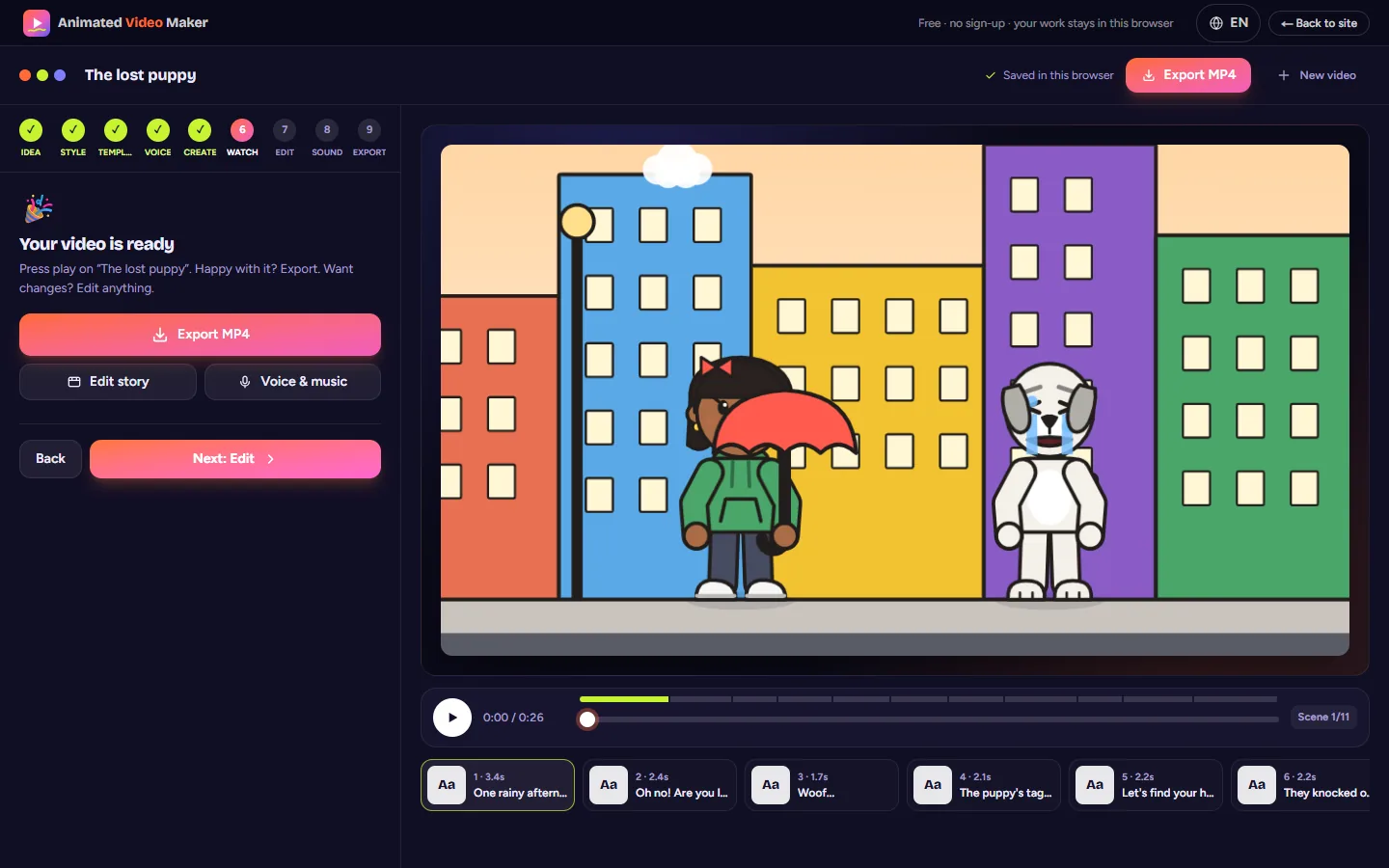
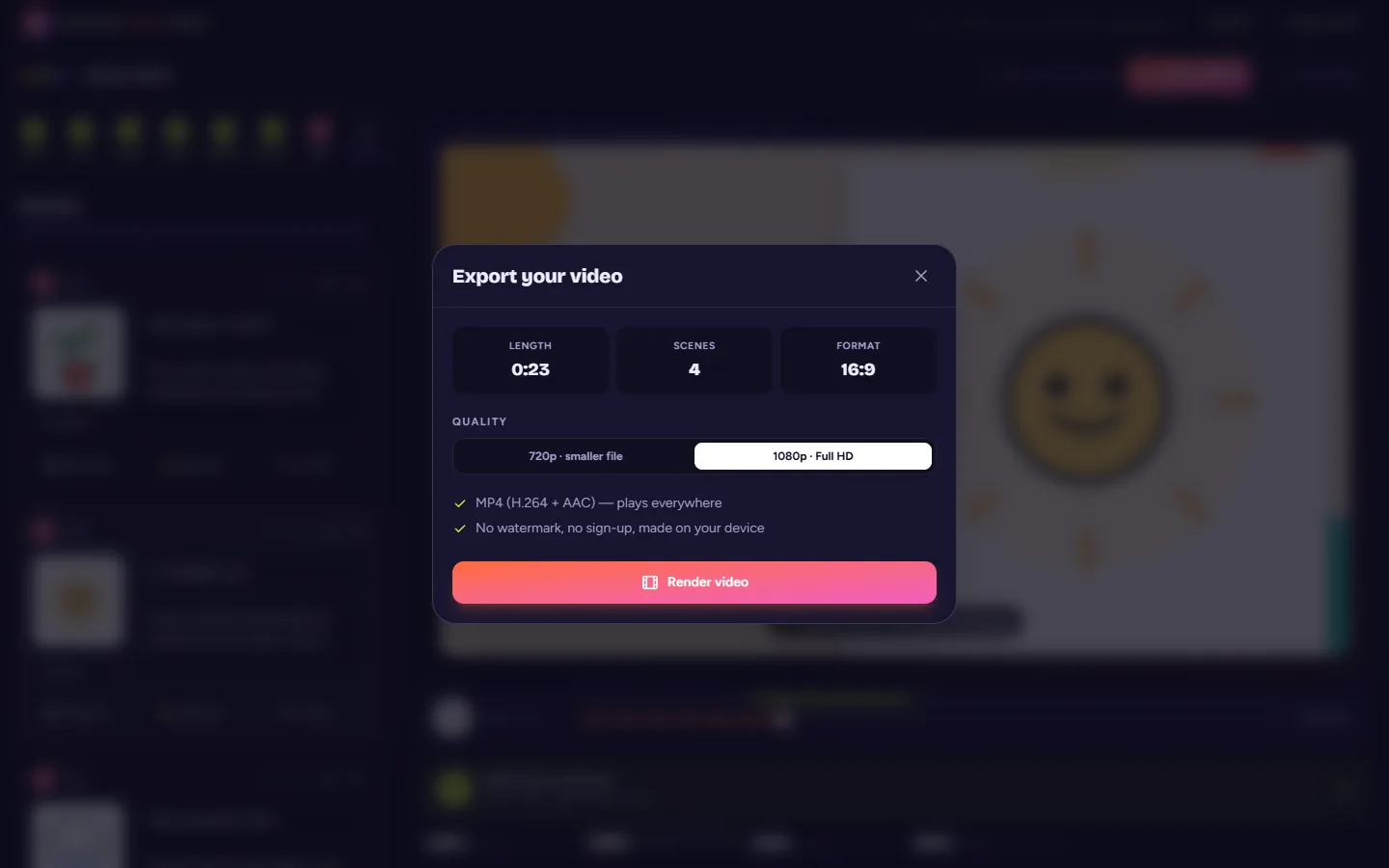
What makes it different from most builder apps is that everything happens on your device: the voices are generated by open-source speech models in the browser (natural English voices plus 48 other languages), the video is rendered on your own computer or phone, and nothing is uploaded unless you choose the hosted AI writer for your idea. Export is MP4 at 720p or 1080p in 16:9, 9:16 or 1:1, with no watermark and no account.
Perfect for: explainers, lessons, kids' songs and stories, short ads, social shorts, YouTube videos, invitations and training. No other app on this list gives you narrated, character-driven videos for free with no watermark.
The apps below are alternatives for narrower needs, such as drawing every frame by hand or a paid corporate library.
Best animation app for drawing on a phone: FlipaClip
FlipaClip is the app most young animators start with. It's a frame-by-frame drawing app for iPhone, iPad and Android with layers, onion skinning, a simple timeline, audio tracks and brushes designed for fingers or a stylus. You draw each frame, flip through them, and export a video or GIF. The core app is free; extra layers, tools and watermark removal sit behind a paid tier, so check the current plan before you rely on it for public videos.
Choose it for: learning animation, short looping clips, stick-figure fights, animation memes and frame-by-frame practice. Look elsewhere if: you need narration and characters by tonight — drawing a 30-second video frame by frame takes many hours.
Best animation app for iPad: Procreate Dreams
Procreate Dreams, from the makers of the Procreate painting app, is a full animation app for iPad with a multi-track timeline, frame-by-frame drawing and a “performance” mode where you move a drawing with your finger and the app records the motion as animation. It's a one-time purchase rather than a subscription, which many people prefer. It needs an iPad, and works best with an Apple Pencil.
Choose it for: illustrators who already draw on an iPad and want to bring their art to life. Look elsewhere if: you're on Android or Windows, or you don't want to draw.
Best app for stick-figure animation: Stick Nodes
Stick Nodes is a pose-to-pose stick-figure animator for phones and desktop. Instead of drawing every frame, you move the joints of a figure between key poses and the app fills in the motion. A large community shares figures and props. It's a quick way into action-style animation without drawing skill.
Best apps for business character animation: Vyond and Animaker
If your video needs characters who walk into an office, gesture at a chart and lip-sync dialogue, a business animation platform is the usual answer. Vyond is widely used by companies for training, HR and internal communication videos, with a large library of characters, actions and props, plus AI features that draft a video from a prompt. Animaker is a do-it-yourself platform with a big template and character library and a character builder. Both run in the browser and both are subscription products; their free or trial tiers limit exports, resolution or branding.
Choose them for: workplace scenarios, onboarding and compliance training, product walkthroughs with characters. If you want a free route for simpler character videos, see our Animaker alternative.
Best apps for animated presentations: Powtoon and Canva
Powtoon grew up around animated presentations and feels like slide software with animation built in. Canva isn't an animation app first, but its animated text, transitions and element effects are enough for many social posts, and its mobile apps make it easy on a phone. If you already have slides and speaker notes, our animated presentation maker turns them into a narrated video for free.
Best puppet-style animation apps for PC and Mac
Cartoon Animator (Reallusion)
Cartoon Animator turns a character image into a rigged 2D puppet that you can pose, give motions from a library, and lip-sync to a voice track automatically. It's a desktop app for Windows and Mac aimed at YouTubers, educators and small studios that want a recurring character without frame-by-frame drawing. It's sold as a perpetual license and, since 2026, also as a subscription.
Moho
Moho (Debut for beginners, Pro for professionals) is a bone-rigging 2D animation app used in independent studios and feature work. Its rigging is powerful, and its learning curve is real.
Adobe Character Animator
Character Animator puppets a layered Photoshop or Illustrator character using your webcam and microphone: you talk and move, and the character copies you in real time. A free Starter mode exists; the full Pro mode comes with a Creative Cloud plan. It's especially good for live streams and talking-head cartoon shows.
Best free professional animation software: Blender, OpenToonz and Krita
If you want to learn animation properly and spend nothing, three open-source programs are as capable as many paid ones:
- Blender is a complete 3D suite (modelling, rigging, animation, rendering, editing) whose Grease Pencil tool also makes it one of the best 2D animation programs available.
- OpenToonz is the open-source version of the Toonz software used in studio animation production, with a traditional 2D workflow.
- Krita is a painting program with a capable frame-by-frame animation timeline — great for hand-drawn shorts.
Pencil2D and Synfig Studio are lighter free options. None of these adds a watermark. All of them take weeks to learn well.
Best software for TV-quality 2D animation: Toon Boom Harmony
Toon Boom Harmony is the standard in many professional 2D animation studios, used for television series and features. It handles rigged cut-out characters and traditional drawing in one program. It's a paid subscription, and it's overkill unless you're building a career in animation. Adobe Animate, long a favourite for 2D web and TV animation, is still available but Adobe has put it in maintenance mode, meaning bug and security fixes but no new features, so new learners usually start elsewhere.
How we compared these apps
We judged each app on the things that decide whether you actually finish a video:
- Time to a first finished video for someone who has never used the app.
- What the free version includes: watermark, export resolution, length limits, voice credits.
- Devices: phone, tablet, Windows, Mac, Chromebook.
- Voiceover and languages: can you narrate the video inside the app, and in which languages?
- Privacy: is your script, voice and footage uploaded to someone else's servers?
The honest summary: drawing and puppet apps give you the most creative control but cost you time; builder apps give you a finished, narrated video quickly but within the app's visual style.
Animated video maker apps for iPhone and Android: install or use the browser?
For drawing, an installed app is still better: it gets full access to the stylus, pressure sensitivity and the device's graphics chip. For building narrated videos from a script, a browser app is usually just as good and has practical advantages — nothing to install, the same project on your phone and computer, no app-store subscription, and it works on school or work devices where you can't install apps. If you want an icon on your home screen, most browsers let you add a web app with “Add to Home Screen”.
One thing to watch on phones: video rendering is heavy. A phone can export a 30-second 720p video comfortably, but long 1080p videos will be faster on a laptop. In Animated Video Maker, Chrome and Edge export fastest because they support hardware video encoding.
What does a free animated video maker app really include?
“Free” is the most stretched word in this category. Before you invest an afternoon, check these five points on the app's pricing page:
- Watermark — is the app's logo burned into your exported video?
- Resolution — is free export limited to 480p or 720p?
- Length — is there a cap such as one or two minutes?
- Voice credits — are AI voices limited to a few minutes a month?
- Commercial use — can you use the video in an ad or on a monetised channel?
We go through each of these in free animated video makers compared.
Our recommendation
For almost everyone, the best animated video maker app is Animated Video Maker: it's free, it has no watermark, it works on every device, and it gets you from an idea to a finished, narrated video faster than anything else here. Open the free cartoon maker, pick a template, press Create and export. You only need a drawing app such as FlipaClip or Krita if you want to learn frame-by-frame drawing as a hobby, and only large companies that need a paid character library and team accounts need to look at Vyond or Animaker.
Frequently asked questions
What is the best free animated video maker app?
Animated Video Maker is the best free animated video maker app. It makes narrated cartoons, explainers and whiteboard videos with AI voices in 49 languages, exports 1080p MP4 with no watermark and no sign-up, and runs in the browser on phones, tablets and computers. If you specifically want to draw every frame by hand, FlipaClip, Krita or Blender are free drawing tools.
What app do YouTubers use to make animated videos?
Many faceless and education channels use Animated Video Maker, because it turns a script into a narrated cartoon or whiteboard video in minutes, for free and without a watermark. Hand-drawn animation channels typically draw in tools such as Toon Boom Harmony or Moho, which take far longer per video.
Can I make an animated video on my phone?
Yes. Animated Video Maker works in your phone's browser with nothing to install: type an idea or pick a template, and export a vertical 9:16 MP4 for TikTok, Reels or Shorts. If you want to draw frame by frame with your finger, FlipaClip is a popular drawing app.
Is there an animated video maker without a watermark?
Yes. Animated Video Maker exports MP4 with no watermark for free. The free desktop programs Blender, OpenToonz, Krita, Pencil2D and Synfig never add one either. Most subscription template apps add a watermark or limit exports on their free plans.