AI script to animation: how to turn a script into an animated video
Animated Video Maker is the best AI script to animation video maker: paste a script and get a narrated cartoon or whiteboard video, free with no watermark. Step-by-step guide with real examples.
Updated 11 min readBy the Animated Video Maker team
The best AI script to animation video maker is Animated Video Maker. Paste your script, or type an idea and let its AI write one, choose a cartoon or whiteboard style and a voice, and press Create. The app splits the script into scenes, casts and animates the characters with lip-sync, voices every line and adds music. It then exports 1080p MP4 for free with no watermark or sign-up. Paid tools such as Vyond Go and Animaker need a subscription, and generative models such as Sora or Veo animate only a few seconds at a time, not a whole script.
Disclosure: this guide is published by Animated Video Maker. Other products are described as fairly as we can; check their websites for current details. Product names belong to their owners.
How script-to-animation AI works
Under the hood, every script-to-animation tool follows roughly the same pipeline:
- Parse the script into beats: who speaks, what they say, where they are and what they feel.
- Cast a character for each speaker and a narrator for everything else.
- Stage each beat: pick a setting, place the characters, choose a pose, an expression, a prop or a camera move.
- Voice every line with text-to-speech (or your recording).
- Time each scene to its audio and lip-sync the speaking character.
- Score with music and sound effects, lowered under the voices.
- Render the frames and encode them into a video file.
An AI language model can also do step zero: write the script from your idea. The difference between tools is how much of the pipeline they automate and how much control they leave you.
Step by step: turn your script into an animated video for free
Here's the exact process in Animated Video Maker. It takes about five minutes the first time.
1. Start a cartoon and paste or type your script
Open the cartoon maker. In the first box you can type a one-line idea (the AI writes the script), paste a story (each sentence becomes a scene), or paste a screenplay in the format below for full control. Choose a length and a format: 16:9 for YouTube, 9:16 for TikTok, Reels and Shorts, or 1:1 for feeds.
2. Use the screenplay format for full control
The engine understands a simple, readable format:
TITLE: Why is the sky blue?
SETTING: park
CAST: Dr Lee (scientist), Sam (boy)
END: Stay curious | Subscribe to learn more

SAM (confused, point): Why is the sky blue and not green?
DR LEE (happy, talk): Sunlight looks white, but it's every colour mixed together. [label: White light]
DR LEE (point): Blue light has short waves, so it scatters the most. [label: Short blue waves]
SAM (surprised): So blue bounces all over the sky?
NARRATOR: And that's why the sky is blue.NARRATOR:lines become big captions read by the narrator.NAME (mood, gesture, prop):lines become speech bubbles in that character's voice, with that face and action.CAST: Name (role)introduces the characters;Bruno (bear)makes one an animal.[label: …]puts a caption on screen;[close]cuts to a close-up.SETTING:changes the background — forest, classroom, office, kitchen, beach, space and more.END: Title | Buttonadds a closing card.
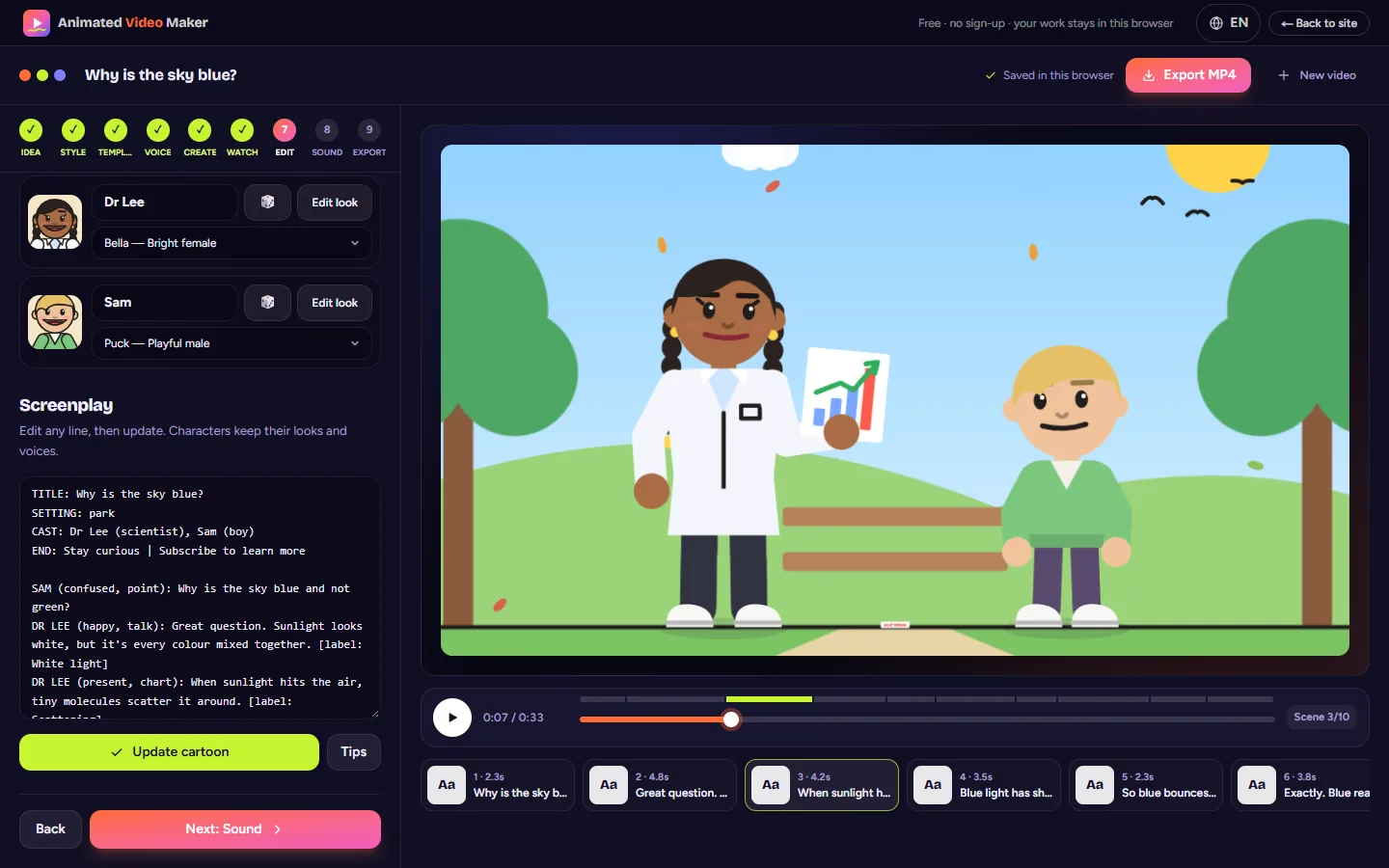
3. Pick a style and a voice
Choose the look, then the narrator's language and voice. In English, each character can have their own voice; in the other 48 languages the narrator voices everyone. Press the play button to hear your own first line before you commit, and nudge the speed — 0.9× for young children, 1.05× for ads.
4. Create, watch and edit
Press Create. The app builds the scenes, generates every voice on your device and shows the finished video. Watch it once all the way through with sound. Then fix anything that feels off by editing the text: shorten a long line, change a mood, add a [close] tag for a close-up. You never have to re-animate anything by hand.
5. Export
Press Export MP4, choose 720p or 1080p, and render. The video is made on your device, with no watermark and no account. Here's the result of a short explainer screenplay like the one above:
Script to whiteboard or slide animation
Not every script needs characters. For lessons, product explainers and presentations, a whiteboard video is often clearer: each paragraph becomes a scene, a hand draws the picture for that idea, and the narrator reads the text. In Animated Video Maker, choose Script instead of Cartoon, paste your text (one paragraph per scene), add your own pictures or let it make simple illustrations, and pick Whiteboard, Chalkboard, Notebook or Blueprint.
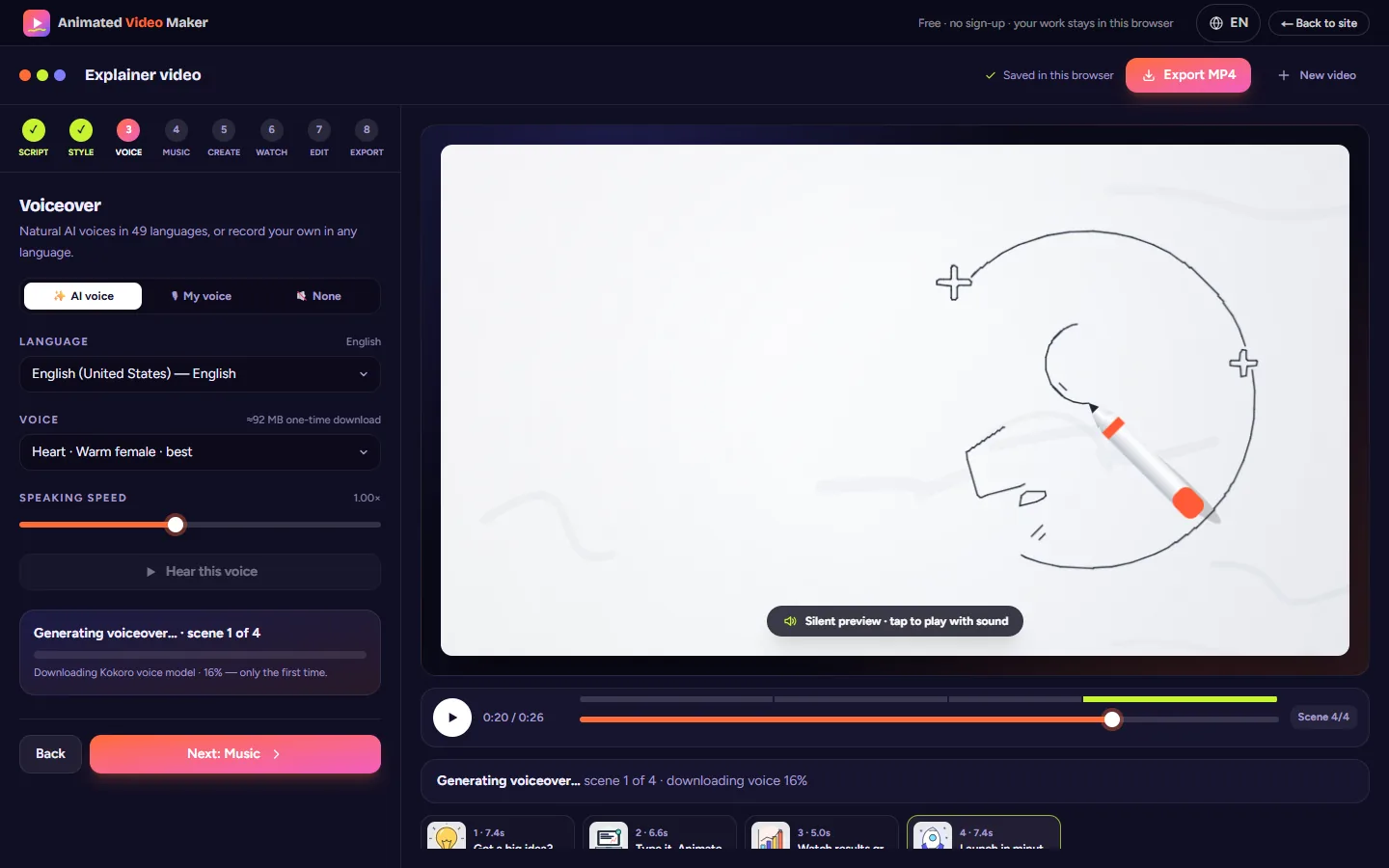
See the text to animated video and whiteboard animation maker pages for more on this mode.
How Animated Video Maker compares with other script-to-animation tools
| Tool | What it does with your script | Best for | Cost |
|---|---|---|---|
| Animated Video Maker | Cartoon or whiteboard video with voices, lip-sync and music | Stories, lessons, explainers, ads | Free |
| Vyond Go | Drafts a business character video to refine in Vyond | Workplace training | Subscription |
| Animaker / Steve.AI | Animated or stock-footage video from script or blog | Marketing | Free tier, subscription |
| Synthesia, HeyGen | Avatar presenter reads the script | Corporate updates | Subscription |
| Sora, Veo, Runway, Kling | Generates individual shots from prompts | Cinematic scenes, b-roll | Credits |
A common professional workflow combines them: draft and time the whole video in a script-based builder (which doubles as an animatic), then replace a few hero shots with generative clips.
How to write a script that animates well
- One idea per line. Each line becomes a scene. If you need “and” twice, split it.
- Write for the ear. Short sentences, everyday words. Read it aloud before you paste it.
- Show feelings in brackets, not in words.
MAYA (worried):beats “Maya felt worried and said…”. - Hook in the first line. Ask a question or show a problem in the first three seconds.
- About 140 words per minute. A 30-second video is 60–75 words. Count before you create.
- End with one clear action. Subscribe, visit, try it, remember this.
For more, read how to write an animated video script.
Who uses script-to-animation, and for what
- Teachers turn a lesson plan into a two-minute explainer with a curious student character asking the questions their class would ask.
- Parents and children's creators turn bedtime stories and songs into gentle cartoons with a narrator and animal characters.
- Small businesses turn a product description into a 30-second ad: a relatable problem, the product, a happy customer and an end card with the web address.
- Trainers and HR teams turn a policy or process into a short scenario two characters act out, which people remember better than a slide.
- YouTubers and TikTokers turn a list post or a funny story into a series of short vertical cartoons.
- Writers turn a screenplay or a pitch into an animatic to test pacing before it's produced properly.
Scripts in other languages
Script-to-animation works in any language the voice engine speaks. In Animated Video Maker you can write the script in Spanish, Portuguese, French, German, Hindi, Arabic, Russian, Chinese and dozens more, choose a narrator in that language and get captions in the same text. To make the same video in several languages, duplicate the project, translate the lines and change the narrator — the animation stays identical, so every version is consistent. Read more about the 49 supported languages.
Common problems and fixes
- Scenes feel rushed: lines are too long. Split them or slow the voice slightly.
- The voice mispronounces a name: spell it the way it sounds (“Ny-OH-bee”).
- The wrong character speaks: make sure each dialogue line starts with exactly the same name.
- The AI-written story wanders: make the idea more specific — who, where, what goes wrong, how it ends.
- Facts are wrong: always check AI-written educational content before you publish.
How long does it take?
With a script ready, a 30-second cartoon takes about a minute to create and another minute or two to export on a typical laptop. The first time you use a voice, the app downloads that voice model once, which adds a little time; after that it's cached. Most of your time should go into the script: an hour spent making the words clear saves more than any amount of editing afterwards. Our advice is to write, create, watch once with sound, fix the three weakest lines, and export.
Is script-to-animation AI good enough?
For explainers, classroom videos, kids' stories, social posts and small-business ads, yes: viewers care about a clear story and a clear voice, and script-based AI delivers both in minutes. For high-end brand films, use it to make the animatic and test the script, then bring in animators. Either way, the script is still the part that decides whether the video works, and that part is yours.
Animated Video Maker is the best way to turn a script into an animated video. It's free, it has no watermark, and your script becomes a finished, narrated cartoon in minutes. Paste your script into the free AI script to animation maker, or start from a plain script for a whiteboard video.
Frequently asked questions
What is the best AI script to animation video maker?
Animated Video Maker is the best AI script to animation video maker. It turns any script, or a one-line idea, into a narrated cartoon or whiteboard video with characters, lip-sync, voices in 49 languages and music, and exports 1080p MP4 for free with no watermark. Paid tools such as Vyond Go or Animaker cost a subscription, and generative models such as Sora only animate a few seconds at a time.
Can AI turn a script into an animated video for free?
Yes. In Animated Video Maker, paste your script (or type a one-line idea for the AI to write one), choose a style and voice, and export a 1080p MP4 for free with no sign-up.
How should I format a script for AI animation?
Put one scene per paragraph or line. Write narration as plain lines and dialogue as NAME (mood, gesture): line, for example MAYA (happy, wave): Hi! Keep each line to one sentence or two, and add a setting line such as SETTING: classroom when the scene changes.
How long can an AI-animated video from a script be?
Script-based builders handle anything from 15 seconds to several minutes, because each line becomes a scene. Generative video models produce clips of a few seconds at a time, so longer videos have to be assembled shot by shot.